Design
The header
Set up everything at the top of every page: logo, menu display, the top bar, an eye-catching button and the language choice.
The header sits at the top of every page: logo, menu, optionally a top bar with contact details and an eye-catching button. You set it up on a single screen, with a preview that follows every change.
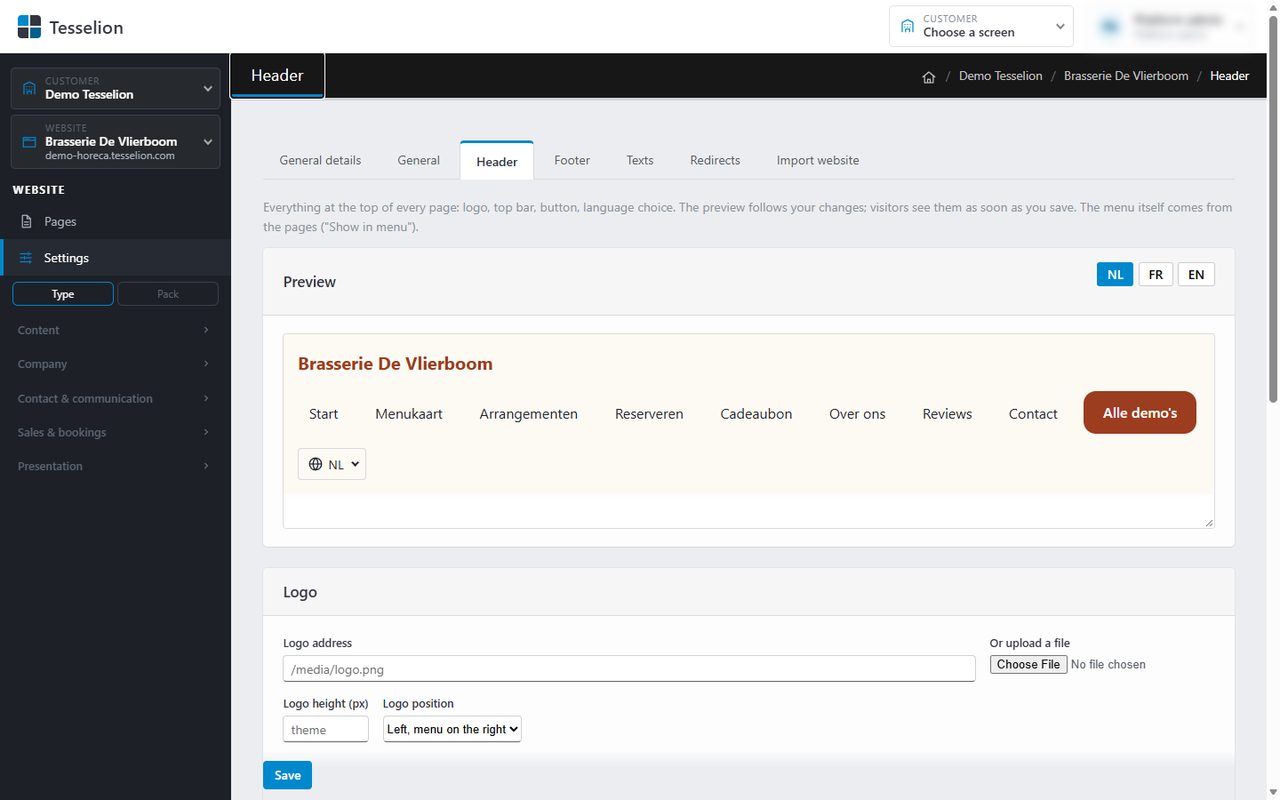
Go to Settings → Header. The Preview is at the top; use the language buttons next to it to view it in each language.
Layout
- Keep the header at the top when scrolling: the header stays in view while the visitor scrolls down.
- Show the language choice: the language buttons in the header. They only appear when the site has more than one language.
- Show sign in: a Sign in link on the right of the header; signed-in visitors see their name. Only when the Accounts module is on and a published page has the sign-in block.
- Wide menu panel for items with sub-sub-pages: a menu item with deep sub-pages opens as one wide panel, with a column per sub-page.
The top bar
- Tick Show a narrow bar above the header.
- Choose the Placement: Bar above the header, or In the header: text next to the logo, contact on the right.
- Tick Phone number and/or Email address. These come from Settings → General details.
- Pick a language next to Editing in and enter a Short text, e.g. your opening hours or a promotion.
- Optionally add Links in the top bar, to a page or an address, with an icon. Links first, then e-mail and phone swaps the order.
The button
An eye-catching button on the right of the header, e.g. “Contact us”.
- Pick a language next to Editing in.
- In the Button card, fill in the Text and the Address, e.g.
/en/contact. - Repeat this for each language.
Note: The button only appears in a language for which you have entered both a text and an address.
Saving
Click Save at the bottom. Visitors see the new header straight away; there is nothing to publish.
Tip: You do not set up the menu itself here: it comes from your pages, via Show in menu on each page.
See also
Last updated on 20 November 2026