Subscription
Customer and billing details
Fill in your company and billing details: official name, VAT number, billing address, contact and payment method.
The Customer details screen holds your organisation's company and billing details. Tesselion uses them for your invoices. Only the owner and the platform administrator can see and edit them.
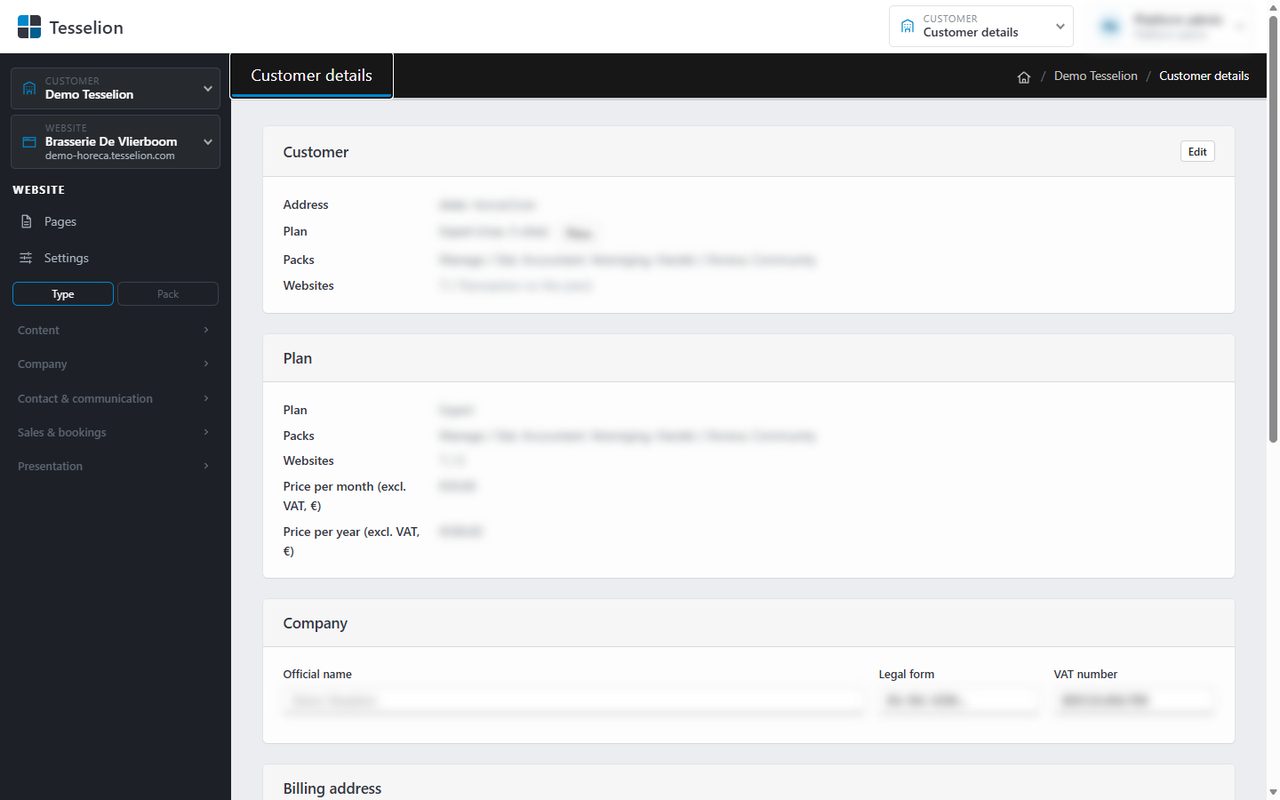
Fill in your details
- At the top right, click Customer admin and then Customer details.
- Under Company, fill in the Official name, the Legal form and the VAT number (e.g.
BE0123.456.789). - Under Billing address, fill in Street and number, Postal code, City and Country.
- Under Billing contact, fill in the Email for invoices, the Contact person and the Phone.
- Under Payment, choose the Payment method: Bank transfer or Direct debit. If needed, fill in the IBAN, Invoice every (month or year) and a Reference / PO number.
- Click Save.
Note: Direct debit needs an IBAN. The VAT number, IBAN and email address are checked; if something is wrong, you see a message and nothing is saved.
Tip: The reference appears on every invoice, which is handy if your accounts department needs a PO number.
Your plan
At the top you see your Plan, your Packs and the number of Websites against the maximum. You don't change them here: order another plan or extra packs under Subscription (see Order or change your subscription).
See also
Last updated on 20 November 2026